
- Introduction
We are thrilled to unveil Chatify Bot’s WhatsApp embedded sign-up feature. You no longer need to go through a lengthy process of creating your WhatsApp Cloud API and connecting it to Chatify Bot. Creating a WhatsApp Cloud API manually is time-consuming and complex. Chatify Bot users can now sign up for a WhatsApp Cloud API account through Chatify Bot, and the account will be automatically added to Chatify Bot.
- Procedure
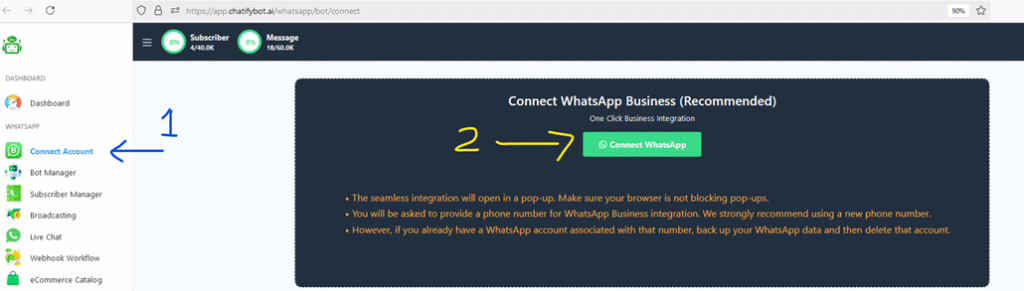
Let’s see how we can do it. From the Chatify Bot’s interface, select WhatsApp Connect Account and hit the “Connect WhatsApp” button.
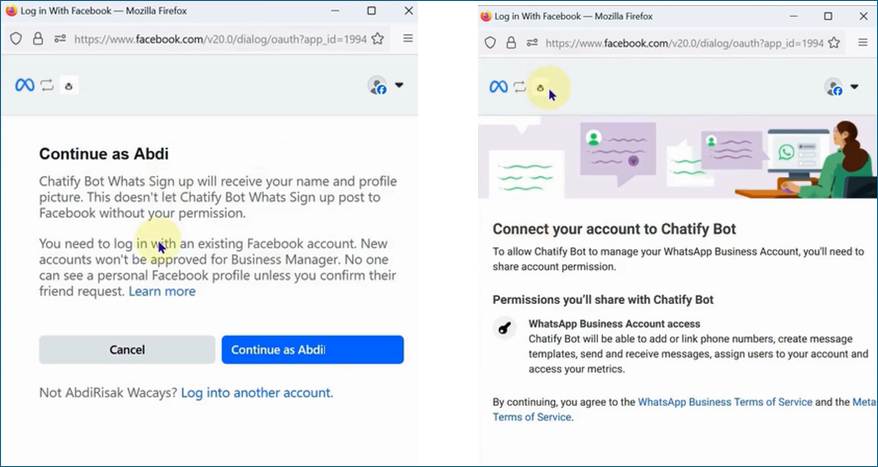
Next, there will be a pop-up window, it will ask you to log in to your Facebook account. If you are already logged in, just click on the “Continue as” button.
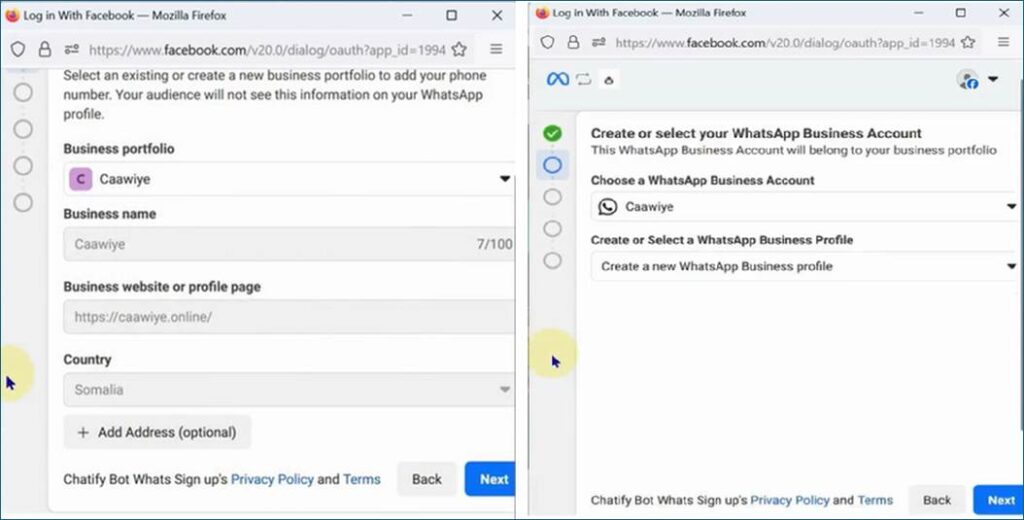
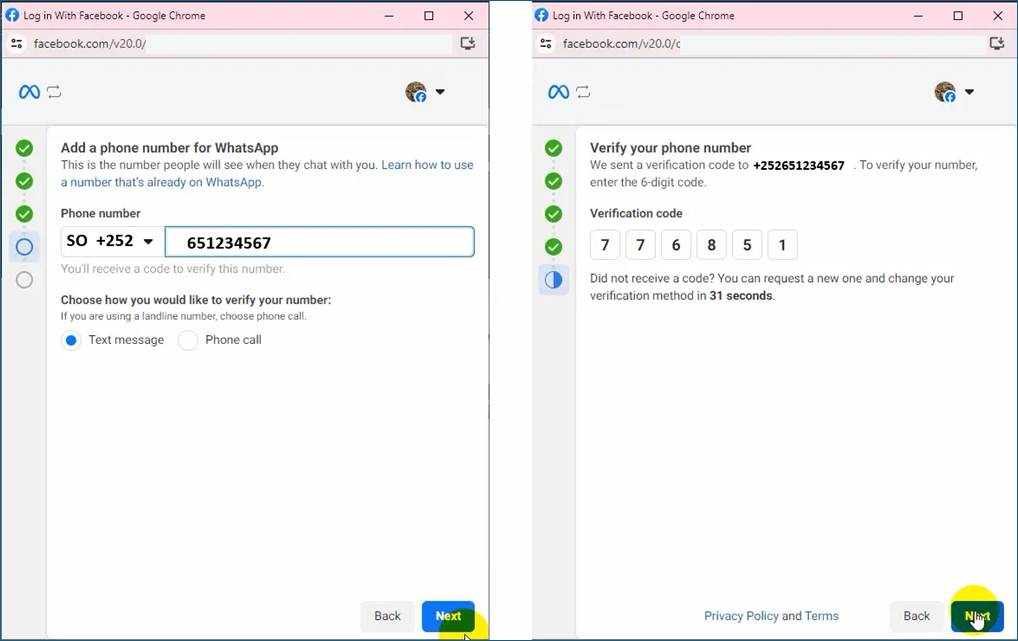
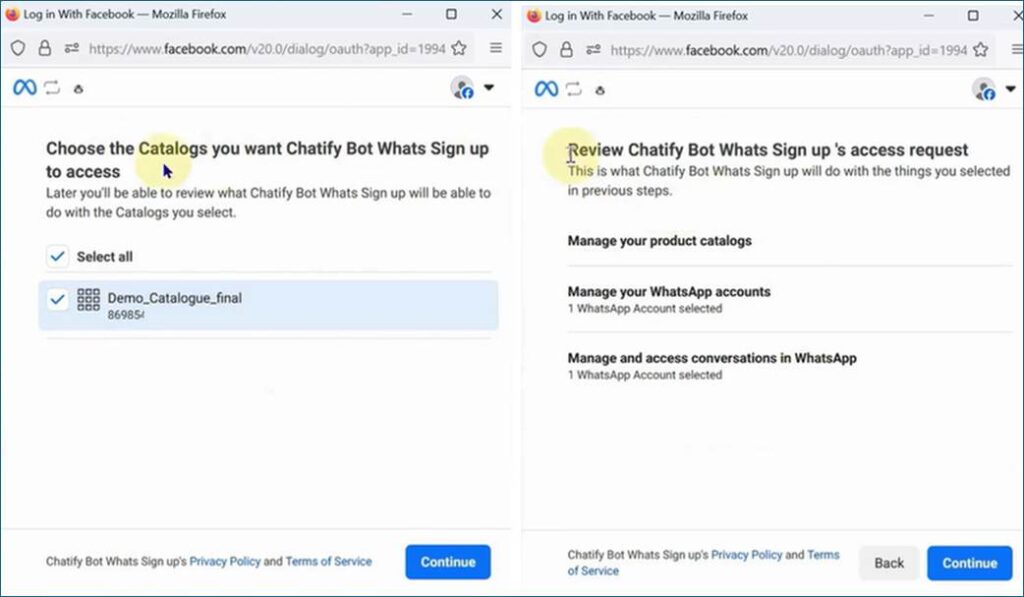
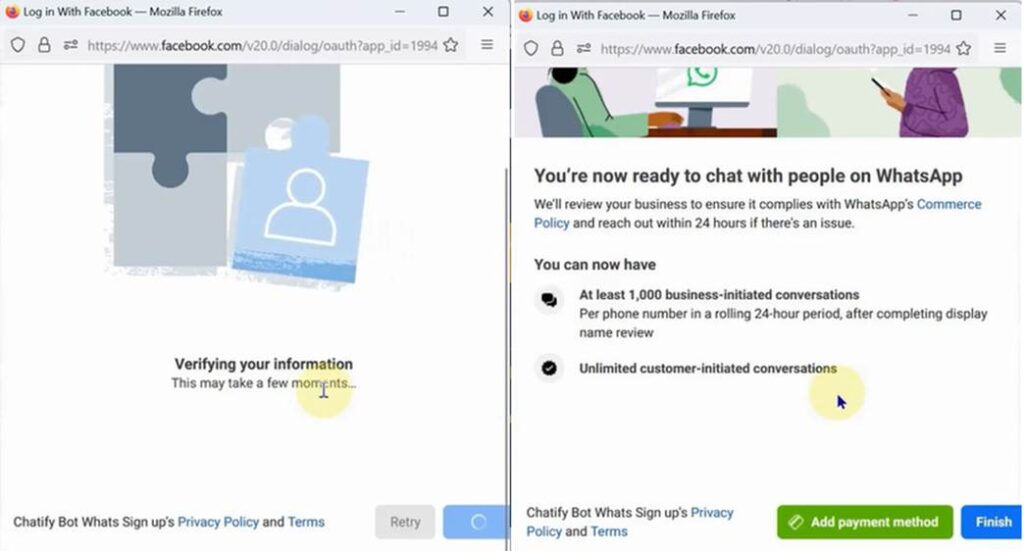
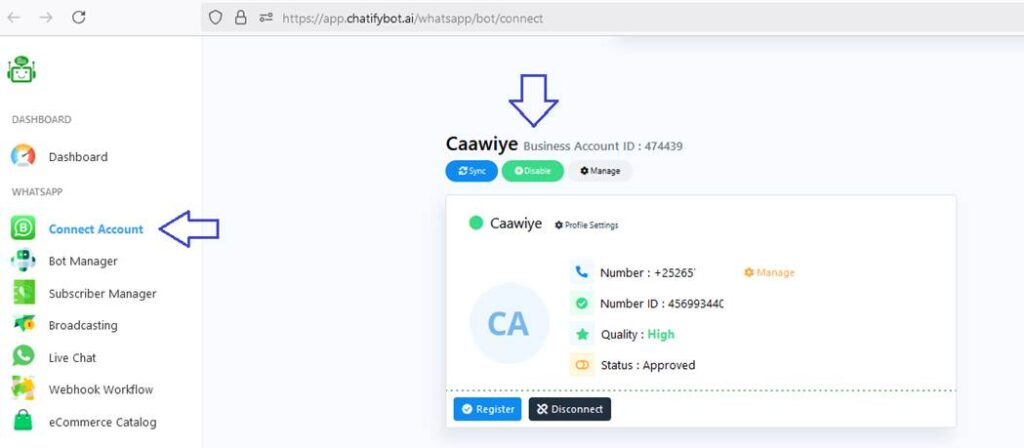
You will get a success message from Chatify Bot, and your connected WhatsApp business account will be visible.
Troubleshooting Common Issues
If you run into problems during setup, here are some common issues and their solutions:
Error When Clicking “Finish”
- Cause: Missing or denied permissions on Facebook.
- Solution: Go back and ensure all requested permissions are granted. Retry the process.
Bad Gateway Errors
- Cause: Temporary server issues on Chatify Bot or Facebook’s end.
- Solution: Wait a few minutes and try again. If it persists, contact Chatify Bot support.
Permission Problems
- Cause: Insufficient access rights in Facebook Business Manager.
- Solution: Confirm your account has admin privileges and that your WhatsApp Business account is correctly linked.
For more help, reach out to Chatify Bot Support or visit the Chatify Bot Forum.
FAQs
What is WhatsApp Embedded Signup?
WhatsApp Embedded Signup is a seamless onboarding process provided by Meta that allows you to create a WhatsApp Business Account (WABA), verify your business, and connect your phone number to the WhatsApp API—all without leaving the Chatify Bot interface.
What do I need before starting the embedded signup?
You’ll need:
- A Facebook account
- A Business name, legal information, and website (for Meta verification)
- A Phone number not currently registered with WhatsApp
- Access to SMS or phone call on that number for verification
Where can I find the embedded signup option in Chatify Bot?
From your Chatify Bot dashboard:
- Navigate to WhatsApp → Connect Account → Embedded Signup
- Click on Start Signup Process
- A popup window powered by Meta will guide you through the steps
What steps are included in the embedded signup process?
- Log in with your Facebook account
- Create or select your Meta Business Manager
- Add your business name and details
- Add and verify your WhatsApp number via OTP
- Approve permissions for Chatify Bot
- Complete onboarding. After that, your number will be connected to Chatify Bot .
Can I use the same number on WhatsApp mobile app and API?
No. Once a number is registered on the API, it cannot be used on the WhatsApp mobile or business app. It is exclusively tied to the API.
What if my number is already registered on WhatsApp?
You’ll need to delete the WhatsApp account from the mobile app before using it in the embedded signup process. Otherwise, Meta will block the number from being onboarded.
Is embedded signup a one-time process?
Yes. After successful setup, your number stays connected unless you manually remove or revoke it from your Meta Business Manager or Chatify Bot account.
Can I reconnect later if I accidentally disconnect my number?
Yes. Simply go through the embedded signup again or use the Reconnect option in the Chatify Bot WhatsApp settings panel.
Is embedded signup free?
Yes. Chatify Bot does not charge for the signup process. However, Meta charges per message sent based on country and category of the message.